Big blast
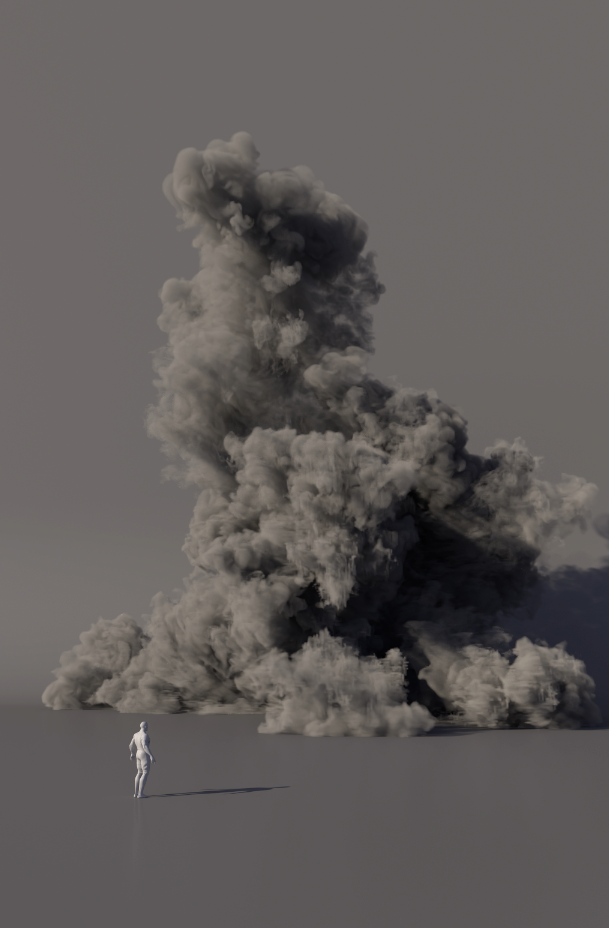
Massive pyro blast simulation exploring scale, pressure, and smoke motion. Large-scale ground explosion .The project utilizes a GPU-accelerated sparse Pyro solver to capture hyper-detailed, high-velocity gas dynamics and turbulent smokebehaviors. Cached efficiently to optimized OpenVDB sequences. The balance between the bright internal flames and the dense outer soot indicates a well-tuned relationship between the simulation fields and the Redshift shader. Focused on heavy rolling smoke, turbulent breakup, and cinematic expansion to create a powerful large-scale explosion feel. Houdini FX | Redshift
The smoke column is incredibly tall.Wecan compare the scale of the human figure to the massive smoke plume. The base of the smoke cloud rolls outwidely across the ground, stretching far wider than it is tall. This is a large-scale pyrosimulation.
This explosion setup focuses on density, burn, velocity (v),and temperature - core pyro attributes for explosion setup.
Density :Defines the smoke volume and overall shape.
Burn: The fuel source/fire intensity data. This is typically used by the solver to calculate where explosion expansion happens and where to trigger emissive fire elements
v (Velocity) : controls the direction and speed of the smoke, helping create natural movement, motion blur, and detailed turbulence in the simulation,while temperature is used mainly to support expansion and lift inside the solver.
Optimization Technique
What to Do/ Why It Helps
- Keep voxel size balanced
Extremely small voxel sizes can cause heavy VRAM usage, slow simulation speed, and even crashes.Used an optimized voxel size for detail vs performance balance.
- Use Sparse Resize Container properly
Adjusted padding and active fields carefully so the container only calculates necessary areas, reducing memory usage and improving speed.
- Reduce unnecessary substeps
Kept substeps only as high as needed for stability. Extra substeps increase simulation time significantly.
- Clean source emission
Used controlled and optimized source emission. Avoided unnecessary density, temperature, and velocity values to keep the sim faster and cleaner.
- Use disturbance & turbulence carefully
Added only the amount needed for detail. Excessive turbulence/disturbance increases calculation time and can make the sim noisy.
- Always cache simulations
Cached sims regularly to avoid recalculating every frame and to improve workflow stability.
- VDB caching workflow
Saved simulations as OpenVDB files so only active voxel regions were stored instead of the full container. This reduced disk usage, improved loading speed, and made the workflow more memory efficient.
- Low resolution for preview, high resolution for render
Worked in lower resolution during look development and testing, then increased resolution only for final rendering.
- Sparse simulation + OpenCL acceleration
Used Sparse Pyro together with OpenCL acceleration for better performance and faster simulation playback on GPU-supported systems.
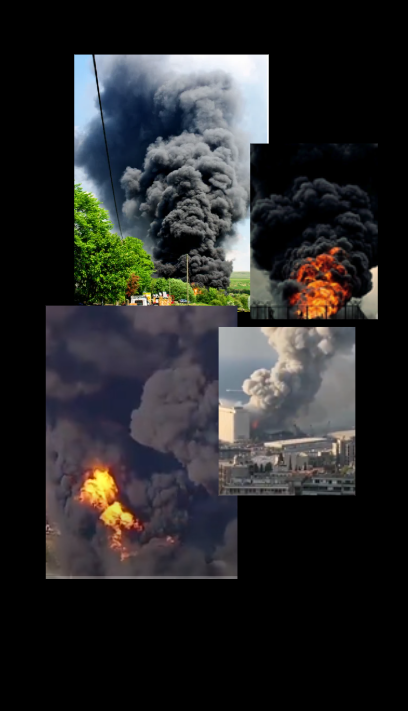
Reference Image